Unpacking xtime: The Intricacies of Time Management in Computing Systems
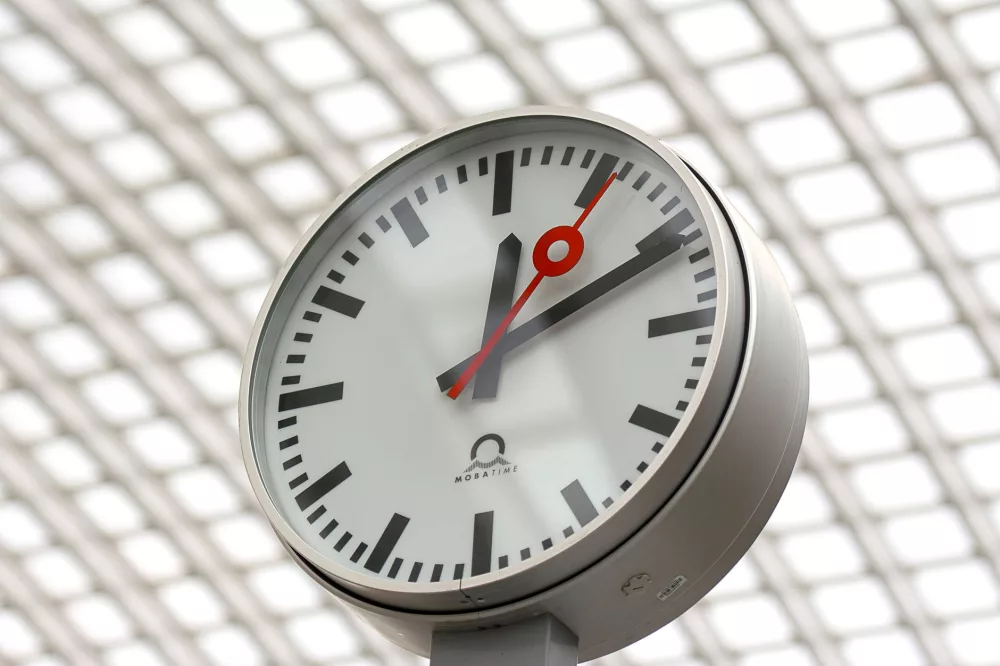
When we talk about 'xtime' in the context of computing, we're really diving into a fascinating and surprisingly complex area: how our machines perceive, measure, and manage time. It's something many of us take for granted, right? We just expect our computers to know what time it is, but beneath the surface lies a sophisticated ecosystem of concepts, system calls, and synchronization protocols that make it all possible.
I remember when I first started tinkering with system programming; I honestly didn't give much thought to how operating systems handled time. You just assume it works. But as I got deeper, I began to appreciate the subtle challenges involved. It's not as simple as reading a stopwatch. The need for accuracy, consistency, and resilience against various environmental factors makes timekeeping a true engineering feat.
The Core Concepts: Epoch, UTC, and Time Zones
Before we jump into specific system calls, let's lay down some fundamental ideas that govern how 'xtime' is structured.
The Epoch: The Beginning of Time (for Computers)
For most Unix-like systems, and by extension, a huge chunk of the computing world, time isn't counted from the Big Bang. Instead, it's measured as the number of seconds that have elapsed since the Epoch. What's the Epoch, you ask? It's defined as 00:00:00 Coordinated Universal Time (UTC) on Thursday, January 1, 1970. Every second since then is a tick on the computer's grand clock. This fixed reference point is absolutely crucial for consistency across different systems and applications.
Coordinated Universal Time (UTC)
If you're not familiar with it, UTC is the primary time standard by which the world regulates clocks and time. It's essentially Greenwich Mean Time (GMT), but with a slightly more scientific backing, maintained by precise atomic clocks around the globe. Using UTC as a standard is incredibly important in computing because it provides a single, unambiguous point of reference. Imagine the chaos if every server or application just used its local time for logging or data timestamps! You'd have a nightmare trying to piece together sequences of events.
Time Zones: The Local Flavor
While UTC is great for internal system operations, humans don't typically live in UTC. We're accustomed to our local time zones, complete with daylight saving adjustments. This is where things get a bit messy. Computers need to translate UTC into local time for user displays and sometimes vice-versa. This conversion involves knowing the specific time zone rules, including their offsets from UTC and any DST (Daylight Saving Time) schedules. It's a non-trivial task, as these rules can change, sometimes with little notice.
Different Flavors of Time: Wall Clock vs. Monotonic
When I think about 'xtime', one of the critical distinctions that comes to mind is the difference between wall-clock time and monotonic time. They serve very different purposes.
- Wall-Clock Time: This is the time you see on your desk clock or phone screen. It's the absolute time, influenced by UTC, time zones, and even adjustments like leap seconds or system administrator changes. Functions like
gettimeofday()orclock_gettime()withCLOCK_REALTIMEprovide this. It's essential for displaying the current date and time to users, timestamping files, or scheduling future events. - Monotonic Time: This type of time is all about measuring durations. Think of it like a stopwatch that only ever goes forward, never backward, and isn't affected by changes to the system's wall-clock time (like a user manually setting the clock back or an NTP sync jumping it forward). It's incredibly valuable for benchmarking, calculating timeouts, or any scenario where you need to measure an elapsed period accurately, without external interference. You'd typically use
clock_gettime()withCLOCK_MONOTONICfor this.
Using the wrong type of time can lead to some really insidious bugs. For instance, if you use wall-clock time to measure how long a process has been running and an NTP daemon suddenly adjusts the system clock backward, your duration calculation could become negative! That's a headache no developer wants to deal with.
The System's Toolbox for Time: Key Functions and Data Structures
Operating systems provide a range of tools for interacting with time. Let's look at some of the common ones:
time_t: The Basic Time Type
At its simplest, time is often represented by the time_t data type. This is usually an integer type, representing the number of seconds since the Epoch. It's what the basic time() system call returns.
time_t current_time;current_time = time(NULL); // Gets current wall-clock time in seconds since epochstruct timeval and gettimeofday(): Microsecond Precision
For finer granularity, especially in older POSIX systems, we often turn to struct timeval and the gettimeofday() function. This gives us time in seconds and microseconds since the Epoch.
struct timeval tv;gettimeofday(&tv, NULL); // Fills tv with current time (seconds and microseconds)While useful, gettimeofday() has fallen out of favor for new code requiring high precision because it's not monotonic. Clock adjustments can make it jump.
struct timespec and clock_gettime(): The Modern Approach
For modern, precise, and flexible timekeeping, clock_gettime() along with struct timespec is the preferred choice. It allows you to specify different clock IDs, giving you access to both wall-clock (CLOCK_REALTIME) and monotonic (CLOCK_MONOTONIC) time, often with nanosecond precision.
struct timespec ts;clock_gettime(CLOCK_REALTIME, &ts); // Wall-clock time, nanosecond precisionclock_gettime(CLOCK_MONOTONIC, &ts); // Monotonic time, nanosecond precisionThis flexibility is really powerful for writing robust applications.
Keeping Time in Sync: The Role of NTP
No discussion about 'xtime' would be complete without mentioning Network Time Protocol (NTP). It's the unsung hero that keeps our global digital infrastructure synchronized. Without NTP, every computer's clock would eventually drift, leading to inconsistencies in distributed systems, broken security protocols (think about certificates expiring at the 'wrong' time), and general mayhem.
NTP works by constantly communicating with highly accurate time servers, typically atomic clocks, and adjusting your system's clock to match. It doesn't just jump the clock; it usually makes gradual adjustments to avoid disrupting time-sensitive processes, unless the drift is very significant.
The Quirks and Challenges of Time
Even with sophisticated protocols like NTP, time isn't perfectly straightforward. We've got a couple of peculiar challenges:
- Leap Seconds: These are single-second adjustments that are occasionally added to UTC to account for the Earth's irregular rotation. They don't happen often, but when they do, they can cause headaches for systems that aren't prepared to handle a minute with 61 seconds. Many systems now try to 'smear' the leap second, distributing the adjustment over a longer period.
- Daylight Saving Time (DST): This seasonal practice means clocks jump forward an hour in spring and back an hour in autumn. While human-friendly, it creates complexities for scheduling and interpreting timestamps in local time. It's why storing time internally as UTC is almost always the better choice, converting to local time only for display purposes.
Practical Implications for Developers and System Administrators
For those of us building software or managing systems, understanding 'xtime' principles is paramount.
- Logging and Auditing: Always log timestamps in UTC. This ensures that logs from different servers in different time zones can be correlated correctly.
- Distributed Systems: Clock synchronization is critical. Slight differences can lead to race conditions, data inconsistencies, and incorrect ordering of events. NTP is non-negotiable here.
- Performance Measurement: Use monotonic clocks for measuring execution times, profiling, and benchmarking. It gives you a reliable duration that isn't influenced by external clock changes.
- Security: Time accuracy impacts cryptographic protocols and certificate validity. A system with a significantly incorrect clock might fail to validate secure connections.
It's clear that while time might seem like a simple concept, its implementation and management within computing systems are anything but. The 'xtime' mechanisms are a cornerstone of modern digital operations, ensuring everything from your daily calendar reminder to global financial transactions happen in the correct sequence and at the right moment. It's a continuous balancing act of precision, consistency, and adaptability that I've found truly fascinating to explore.
About Editorial Team
Senior columnist and culture critic specializing in architectural designs, emerging high-growth systems, and contemporary philosophies.
All Categories
Recent Posts


IBRX Stock: Unpacking ImmunityBio's Journey in the Biotech Landscape